How to Stop SPAM on Your WordPress Blog Using the Akismet Spam Plugin
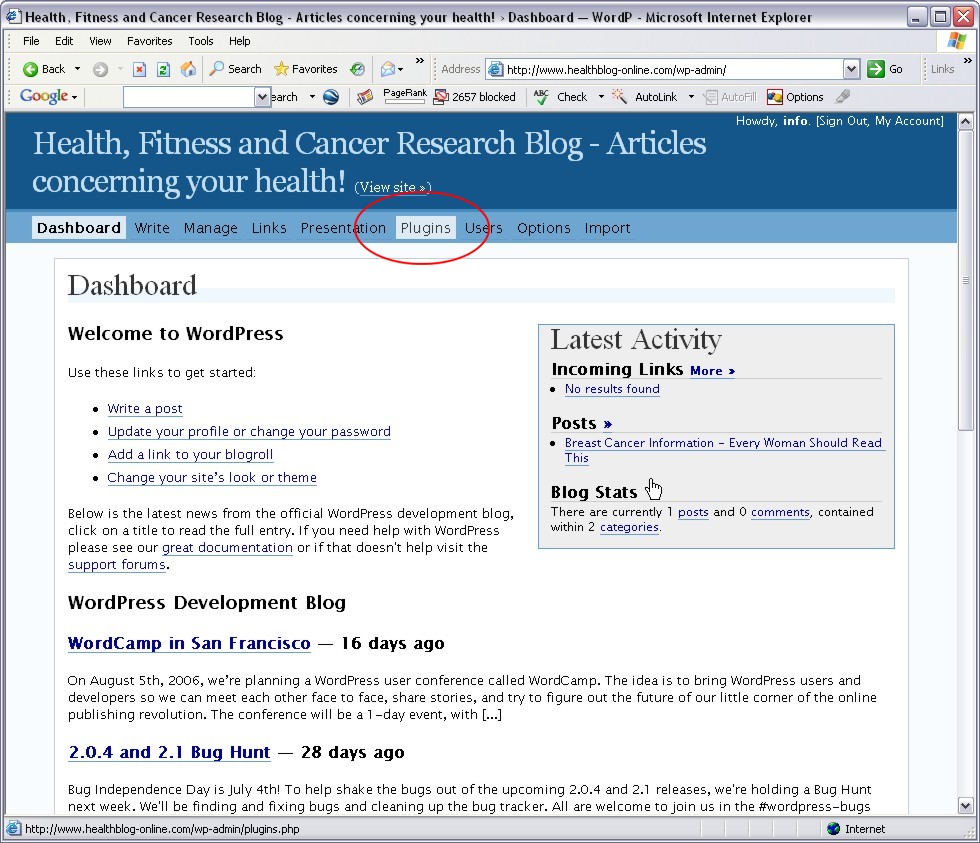
Step 12: Now it’s time to activate the plugin on your hosted blog! So close the WordPress page and open up the admin control panel on your hosted blog (the one you actually use) and click on Plugins to view your plugin menu.
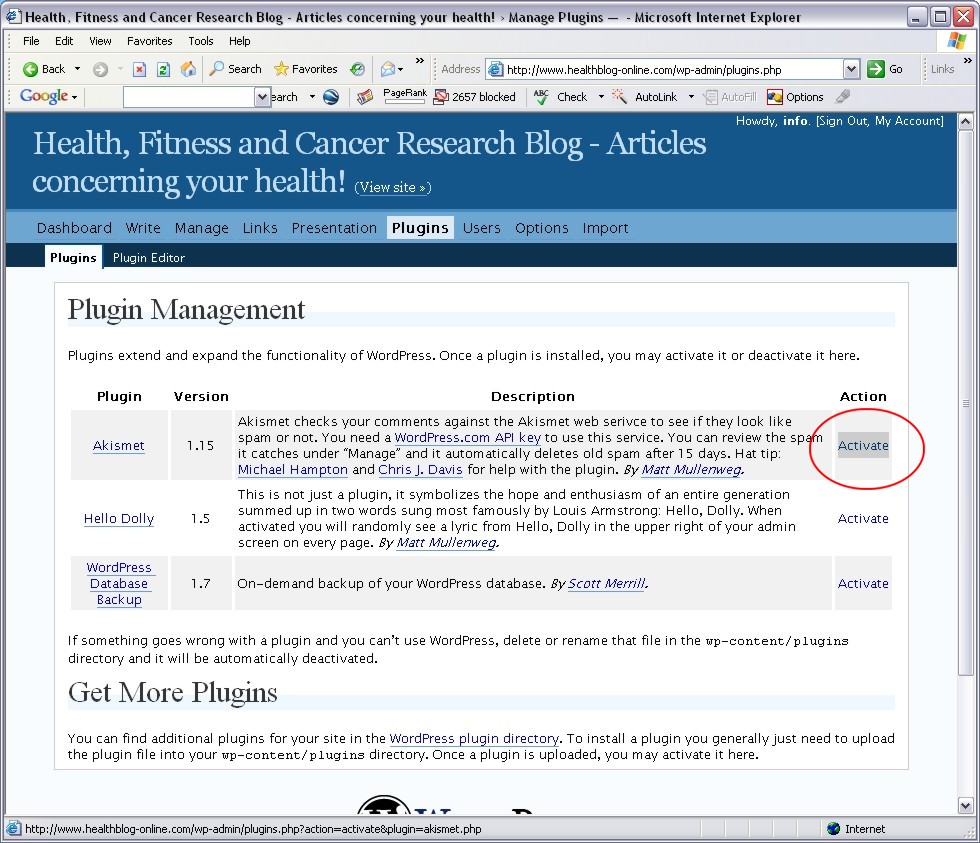
Step 13: You should see Akismet as a listed plugin on your plugins page. Click the Activate link to enable the plugin on your blog.
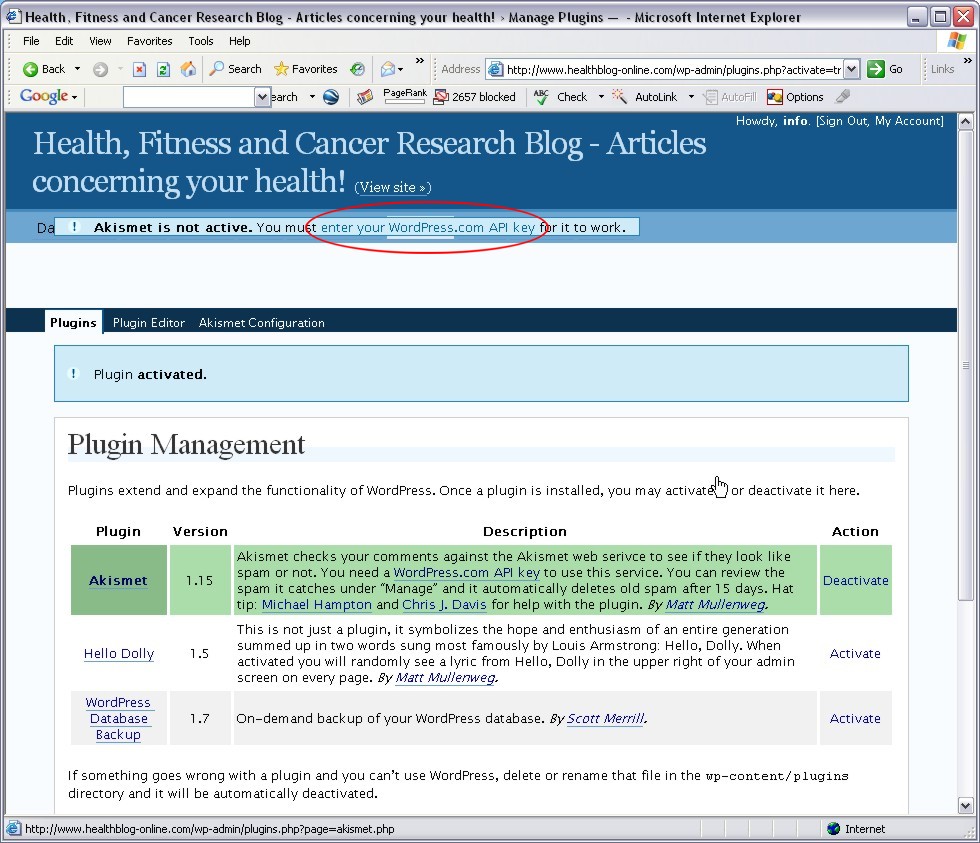
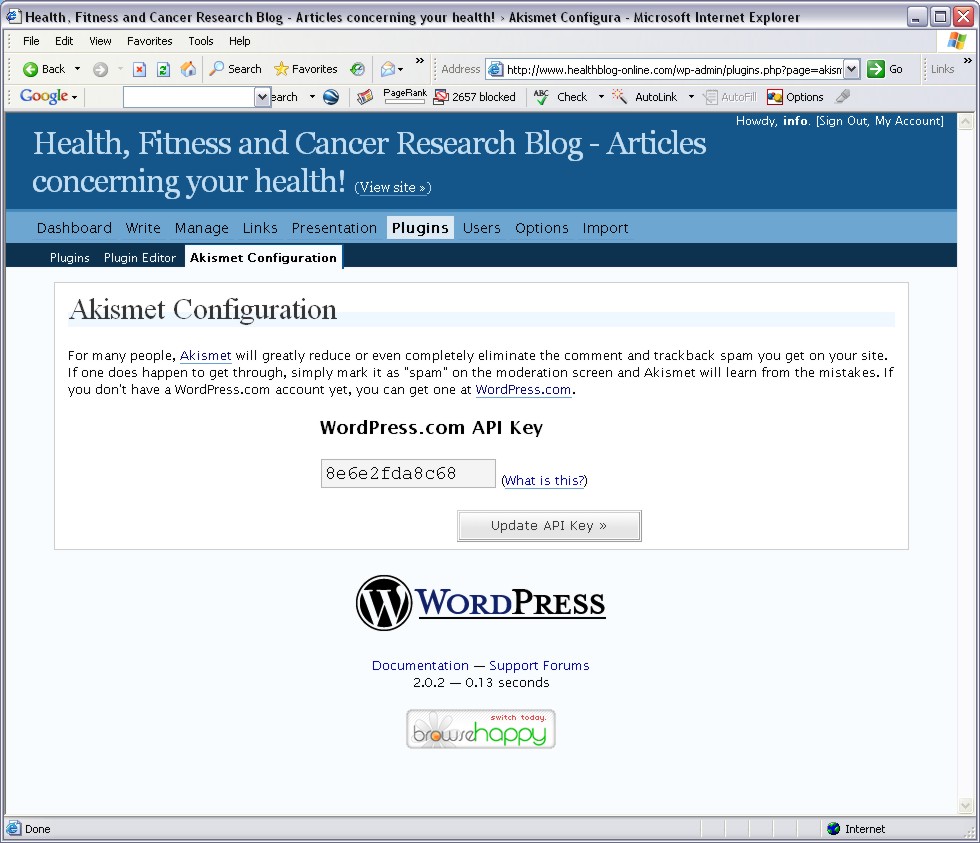
Step 14: You will get a confirmation box that says the plugin has been activated, as well as a box saying your need to enter the API key for the plugin to work properly. Click on “enter your WordPress.com API key”.
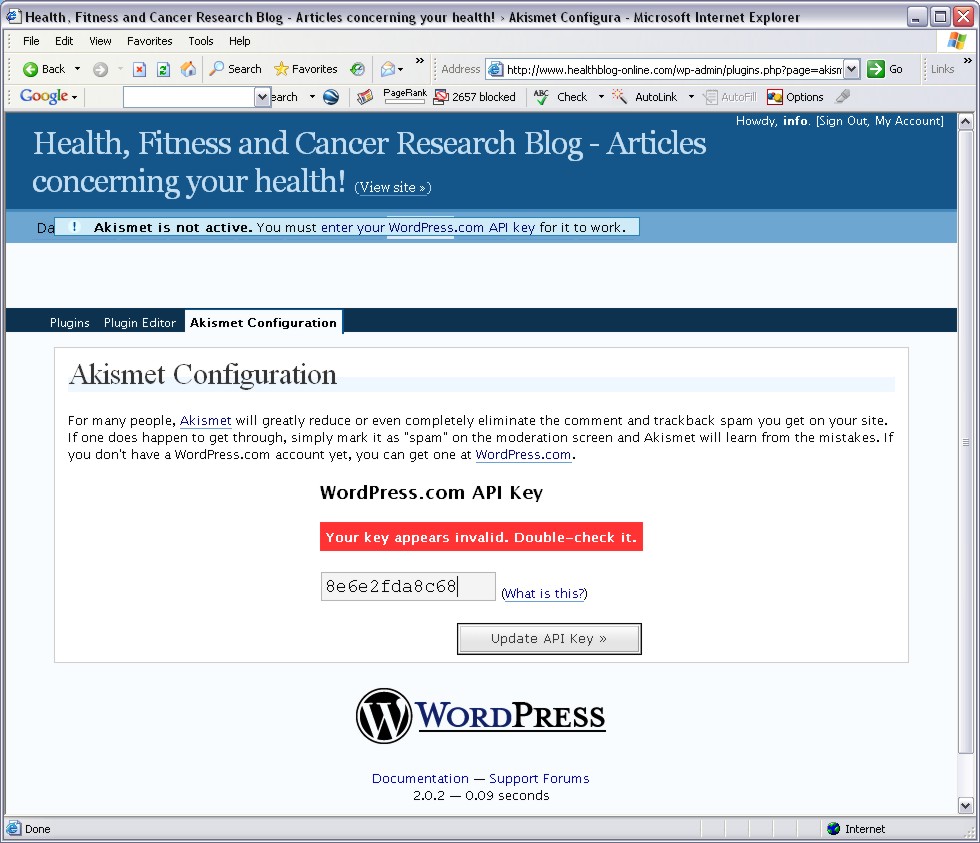
Step 15: Enter your API key into the form by hitting Ctrl-V to paste it, or simply type it in from the email you received. Click the Update API Key button and the red box indicating that your key is invalid will disappear.
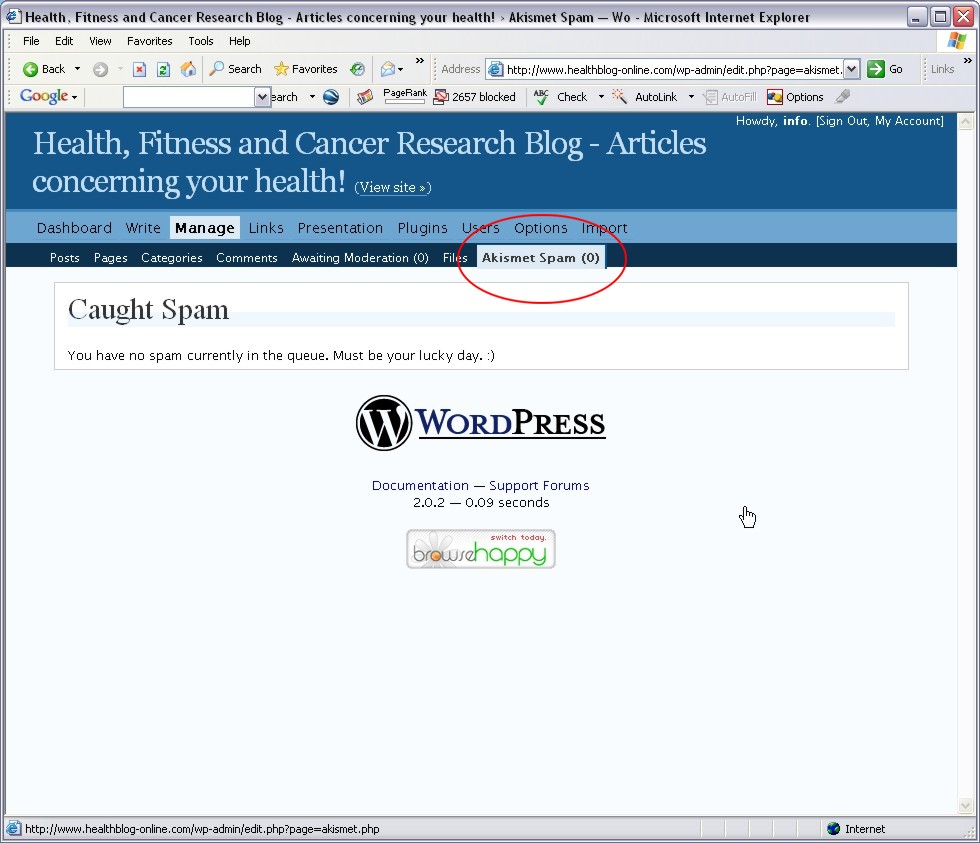
Step 16: Your DONE! You can see the Spam the plugin catches by clicking on “Manage” on the menu bar, then click “Akisment Spam” to view the full list of captured Spam. You can either delete the Spam manually, or let the plugin do it automatically… it will auto delete Spam older than 15 days.
Hope this tutorial helps you get Spam under control on your blog!
Dan
10 thoughts on “How to Stop SPAM on Your WordPress Blog Using the Akismet Spam Plugin”
Thanks Dan! I really appreciate the tutorial!
lol. I didn’t know you would be inspired to write something JUST FOR ME!
Well you’re the 7th person to ask me since I installed the plugin last night and I got tired of re-explaining it each time lol!
Dan
The other night I had a look into the WP options and saw you could blacklist words.. so I blacklisted the word ‘poker’ for comments, because just the other week I got a HEAP of spam comments on photoshopstar and had to decline them manually.. anyway I dont think I’ll need to use this plugin ehe 🙂
I was getting about 100 Spam comments a day and only a tiny bit had the word poker in it, so I couldn’t add this all to my blacklist because I was upping my chance of blacklisting valid comments. The more you blacklist, the greater the chance you end up flagging legit feedback, and I wanted to avoid that as much as possible.
Dan
Ah but how high is the possibility of a good comment having the word ‘poker’ in it? That’s the only spam I was getting and the only word I blacklisted heh
thanks Dan, I turned off my comments due to spam but now I guess I can turn them back on =)
Hey Dan have you also played around with SpamKarma?
I really prefer it over Akismet, my blog had around 130 comments a day, since I’m using SpamKarma no spammers have came through… 😉
trish stratus porn
http://myblog.es/trish-stratus
Thanks man, i agree
Thanks Dan, really nice tutorial!