New Smoke Brush Nib Set for CorelDraw & Corel Photopaint
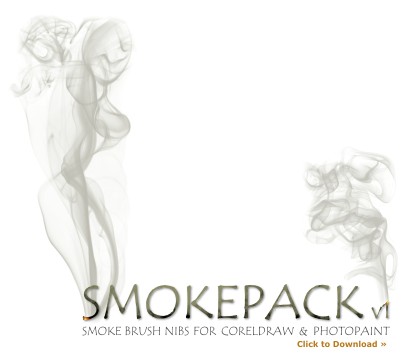
This is a sweet set of high resolution smoke brushes for CorelDraw with all sorts of great smoke patterns you would likely see from cigarette smoke. Credit goes to the original creator of the Photoshop Brush pack ~Falln-Brushes.
Don’t know how to install NIB packs? Click here!
18 thoughts on “New Smoke Brush Nib Set for CorelDraw & Corel Photopaint”
tks
Thks a lot, exactly what I need
Thank you loads
thx a lot…
Despite these great brushes, I need more:
I need to create an animated smoke on the top of a (warm) dish with food.
Do you have any suggestion?
Thanks again.
Vincent
Hi Vincent,
I would use Photopaint for only the very basics of animation… for anything beyond the basics, I would highly recommend you use Flash for animating stuff. In fact if you go on P2L you will find many tutorials on how to make animated smoke in Flash.
Hope that helps!
Dan
thanks man
Thanks for offering these! Please forgive me but I’m a bit of an inexperienced Corel idiot and don’t know where to stick them… do you have an installation guide detailing which Corel folder to copy these files to so I can use these cool brushes?
can find your nib setting in coreldrawx4 i’ve lost 1 hour just trying to install it if someone can help me would be great thx!!
Yes – I too need smoke in an older version of Corel. I have no idea how to integrate it into the program either. any help is appreciated. thanx. ps vincent – yu do mean ‘steam”, don’t you? :/
btw – a little research on this page and I found “Simply click on the pack you want and unzip to a temp folder on your PC. Open up CorelDraw or Photopaint and in the Brush Settings Docker, use the Nib Settings menu to load the nib shape you want to use.” good luck – I’ll try that and see what happens and report back.
btw – in CorelDraw 10 (yes – laugh – its okay – its all I have) it says: Tip · You can create custom brush strokes by clicking Effects Artistic media, and specifying the settings you want in the Artistic media Docker window.
I tried that, and my guess is it doesnt recognize .nib files :/ tho now it shows “smokepack” in my drop down menu of brushes. sigh… I’ll try it in photopaint.
looks like my CorelDraw10 requires a .cmx file? And I cannot find the nib properties bar in Photopaint (That’s all for now – I’ll shut up, cross my fingers and wait. ) :/
Hey guys, sorry I’m not sure what exactly you’re having trouble with to install the nibs. I’ll add a new post on how to install the nibs in a few minutes 🙂
Actually just remmebered I wrote this:
https://www.danrichard.com/2008/01/11/how-to-load-and-install-corel-photopaint-nib-brush-packs/
Does this help?
Guys, somehow I cant extract that .zip file.. can you re-upload it again..
thank you..
having trouble extracting the zip file can anyone help?
Can’t open it either. when i got to unzip any of the files it says its either not recognized or it is damaged….really need this and fast for a job I am working on.
Pls Dan, The Link is Broken can you please Re-Upload Thanks alot