How to enable the Classic Start Menu in Vista and Enable the Run Option!
Welcome to my first of what will probably be several Windows Vista tutorials! Most people associate my tutorials and general knowledge with graphics and photography, but I spent many years in IT as a Hardware and Software manager and as a department lead, so I have tons of OS experience as well. So with that said, I would like to expand my repertoire of tutorials to cover the latest MS operating system, Windows Vista.
I just installed the Ultimate version tonight and man, what a battle and a half to get this beast where I need it. I really dig the new GUI functionality, but there was a lot of new goodies in this bag that had me tearing my hair hair out. The first issue is the new Start Menu and this horrible selection method they have for the complete program list. The entire scrollbar concept and forward/back thing just isn’t working for me.
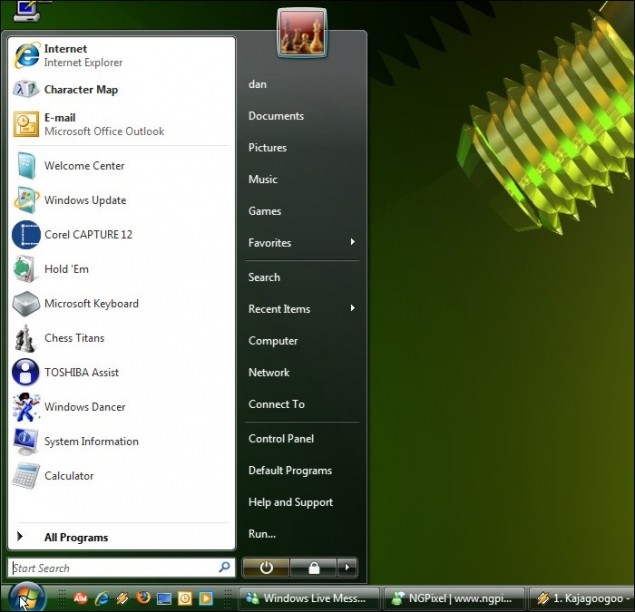
Let’s have a look at the new Vista Start Menu:
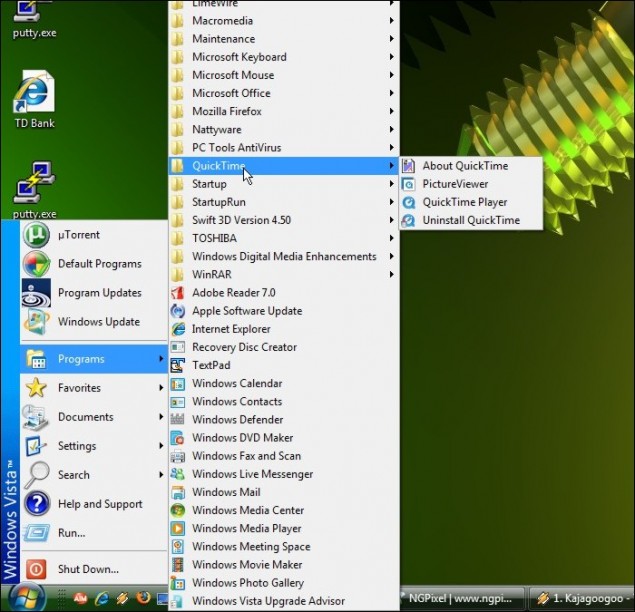
Here you can see me browsing All Programs:
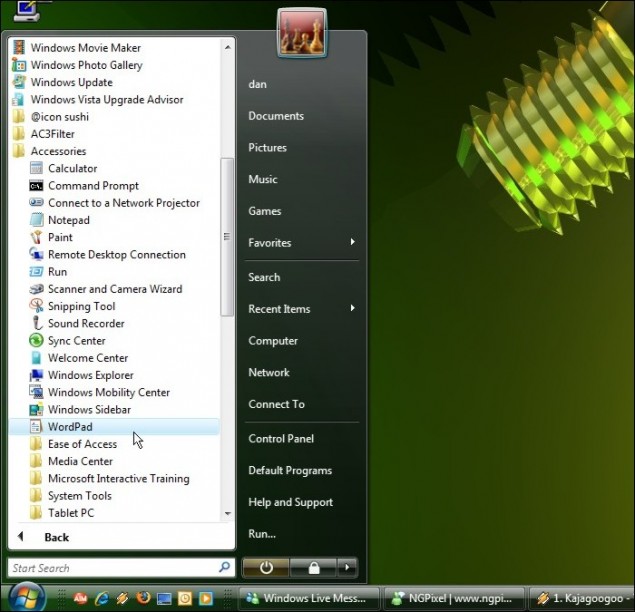
Now as you can see in the screenshots above, I have a Run command button. If you are running a fresh install of Vista, you don’t have that available, and the thought of not having a run command is probably gnawing at your very soul! Let’s get our Classic Start Menu and our precious Run button back!
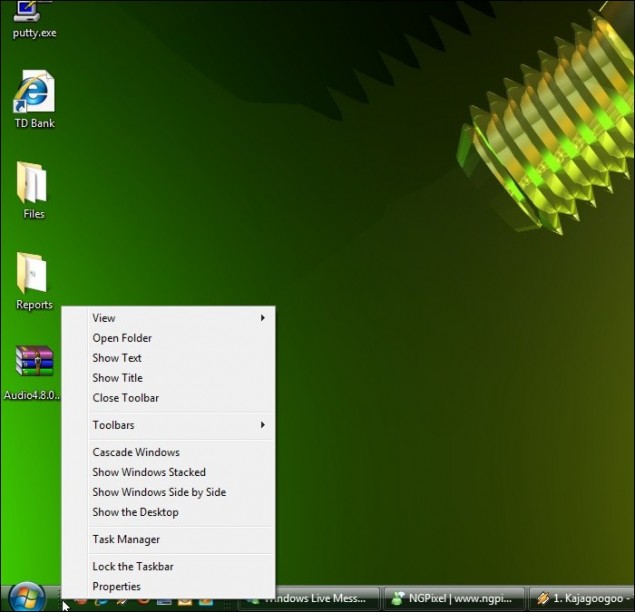
Step 1 – Start by right-clicking on the taskbar and then click on Properties:
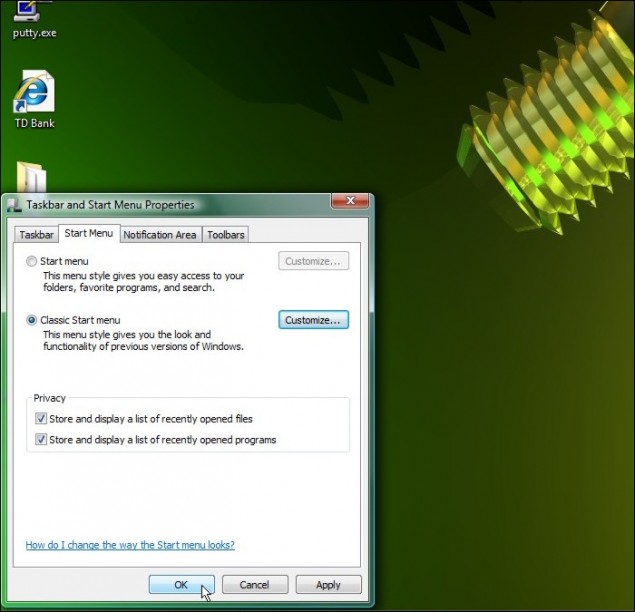
Step 2 – That will load up the Taskbar properties menu… click on the Start Menu tab to access the required settings:
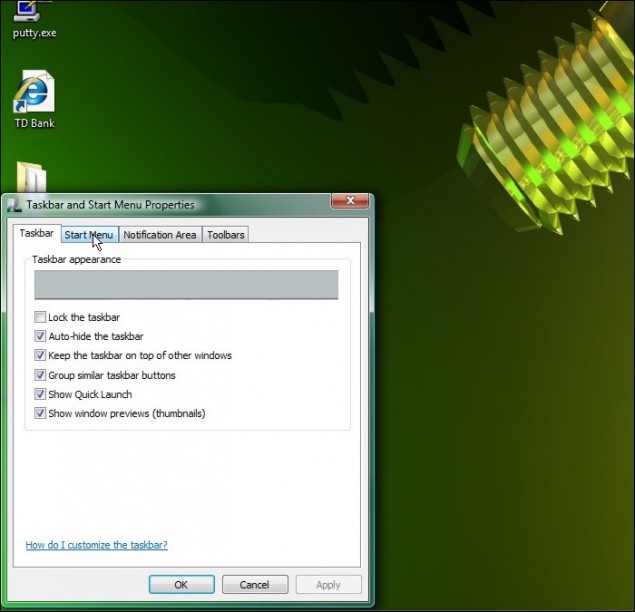
In the Start Menu tab, you have two main radio buttons: One for Start Menu (default) and one for Classic Start Menu (Windows goodness).
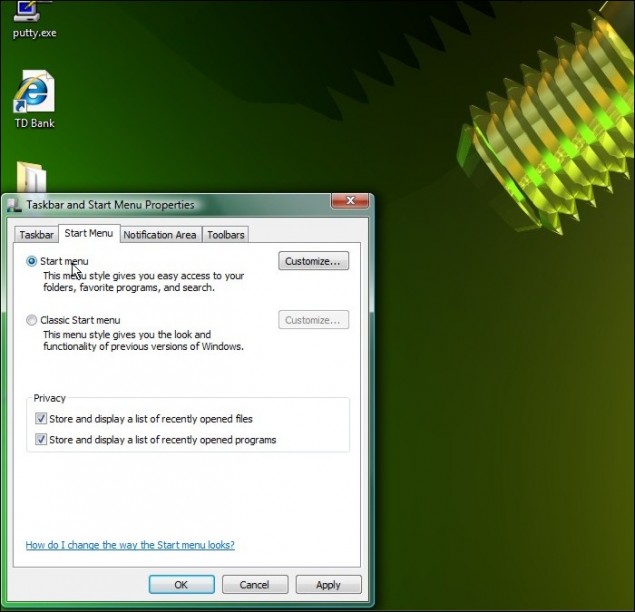
Step 3 – Click on the Classic Start Menu radio button:
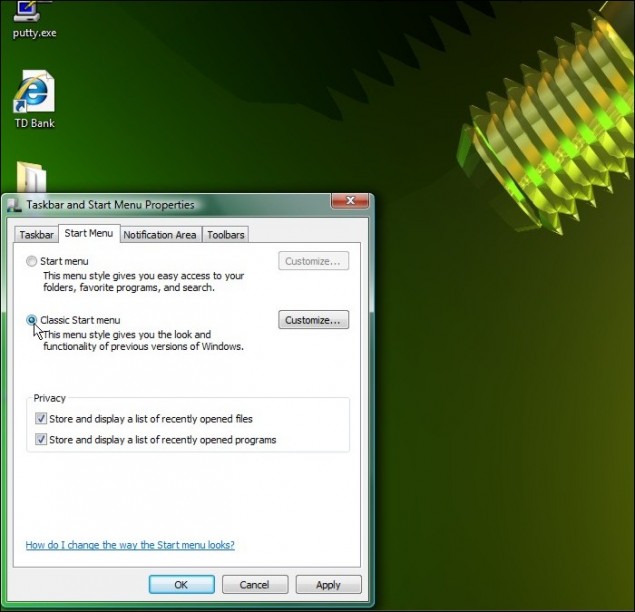
Step 4 – TO ENABLE THE RUN BUTTON, you must click on the Customize button to the right:
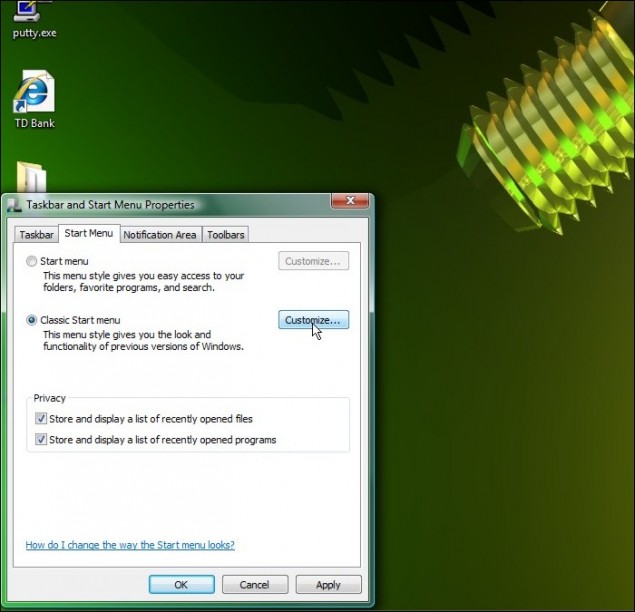
Step 5 – Here you can enable/disable various functions within the Start Menu including the Run button, which I have circled in red. Once you’re done, click OK to return to the main menu.
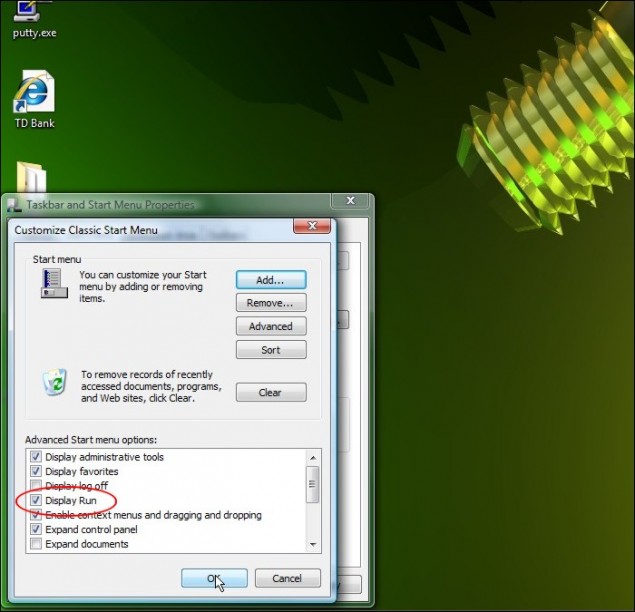
Step 6 – Good to go? Click on OK to close and apply the new settings:
And VOILA! Classic Windows Nirvana!
Thanks for playing!
Dan